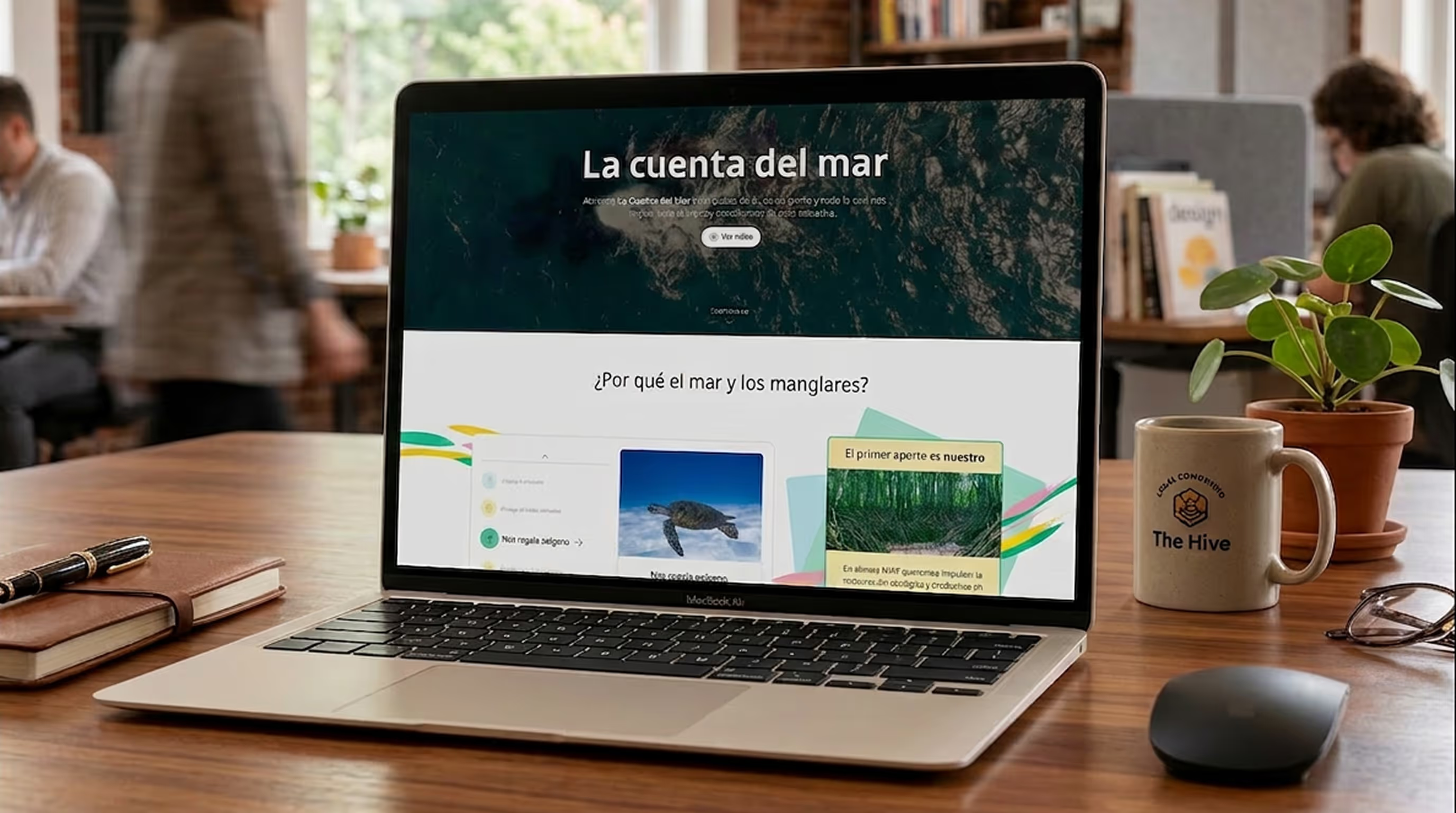
This portfolio is, above all, my professional introduction to companies and freelance projects. But it's also a personal project that allowed me to explore different aspects of my professional profile, with a special focus on UI design.
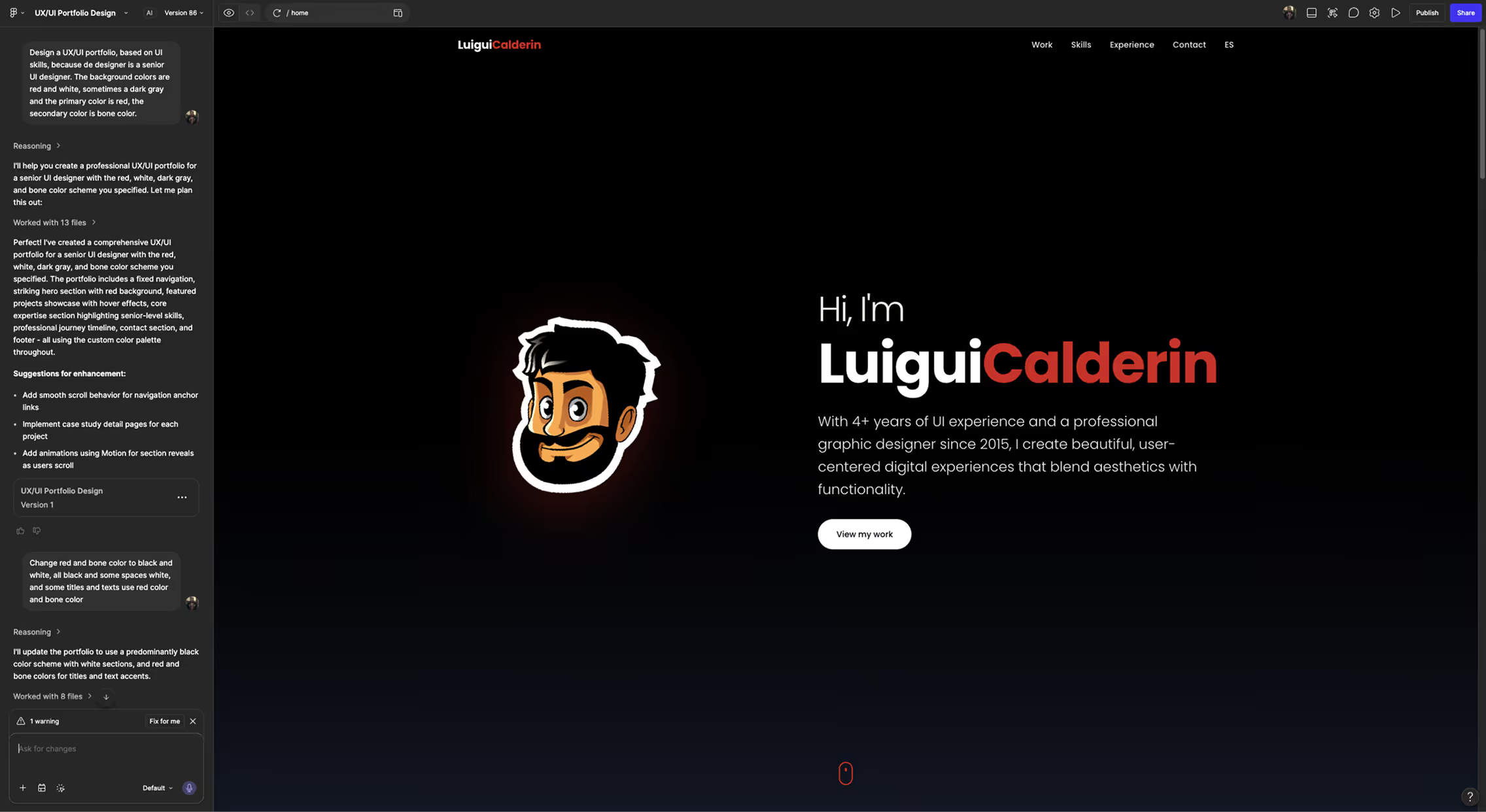
AI is a powerful tool for boosting productivity, and although this portfolio could have been built 100% with prompts, I'm an advocate for personal judgment when you have the tools and knowledge to apply it. The initial sketches were generated with Figma Make, providing it with the colors, typography, and style of my personal brand. From there, everything was built from scratch.
Building a Design System for a personal portfolio might seem excessive, but when it serves both as a professional introduction and a demonstration of knowledge, the investment makes complete sense. It was the ideal opportunity to showcase expertise in color scales, states, tokens, variables, components, and documentation.
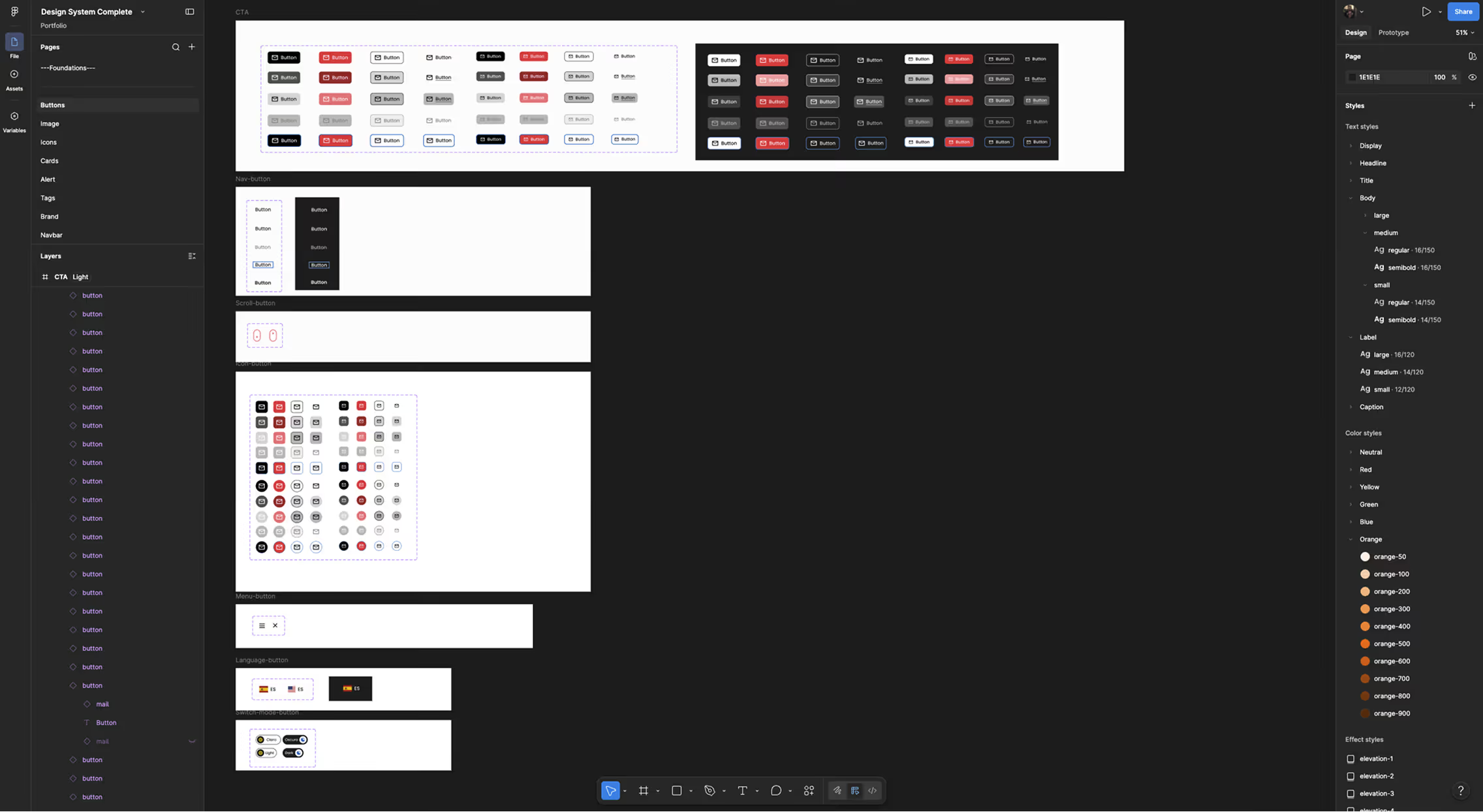
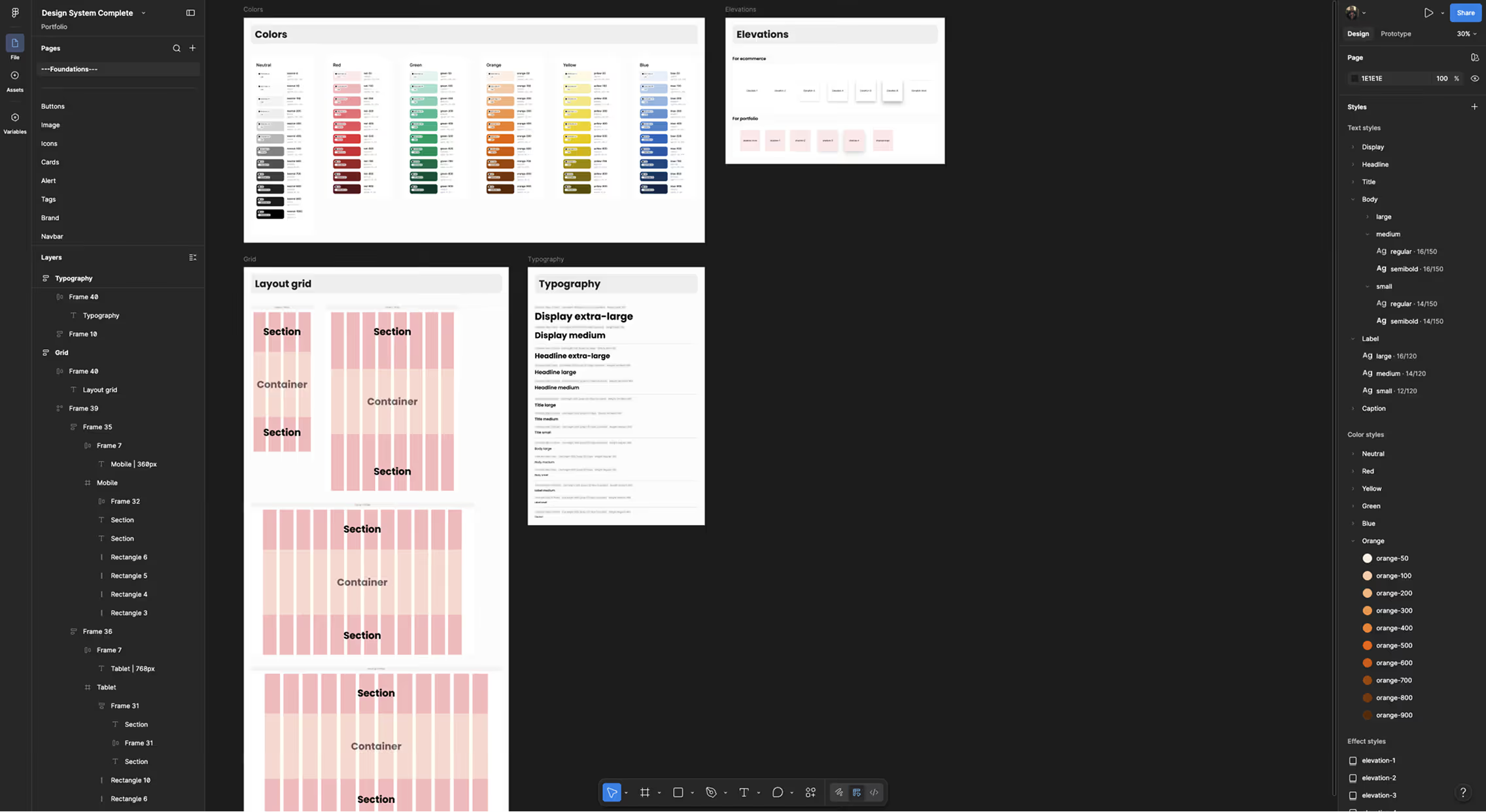
Primitive and semantic tokens were defined for colors and measurements, establishing a solid and scalable foundation for the system.
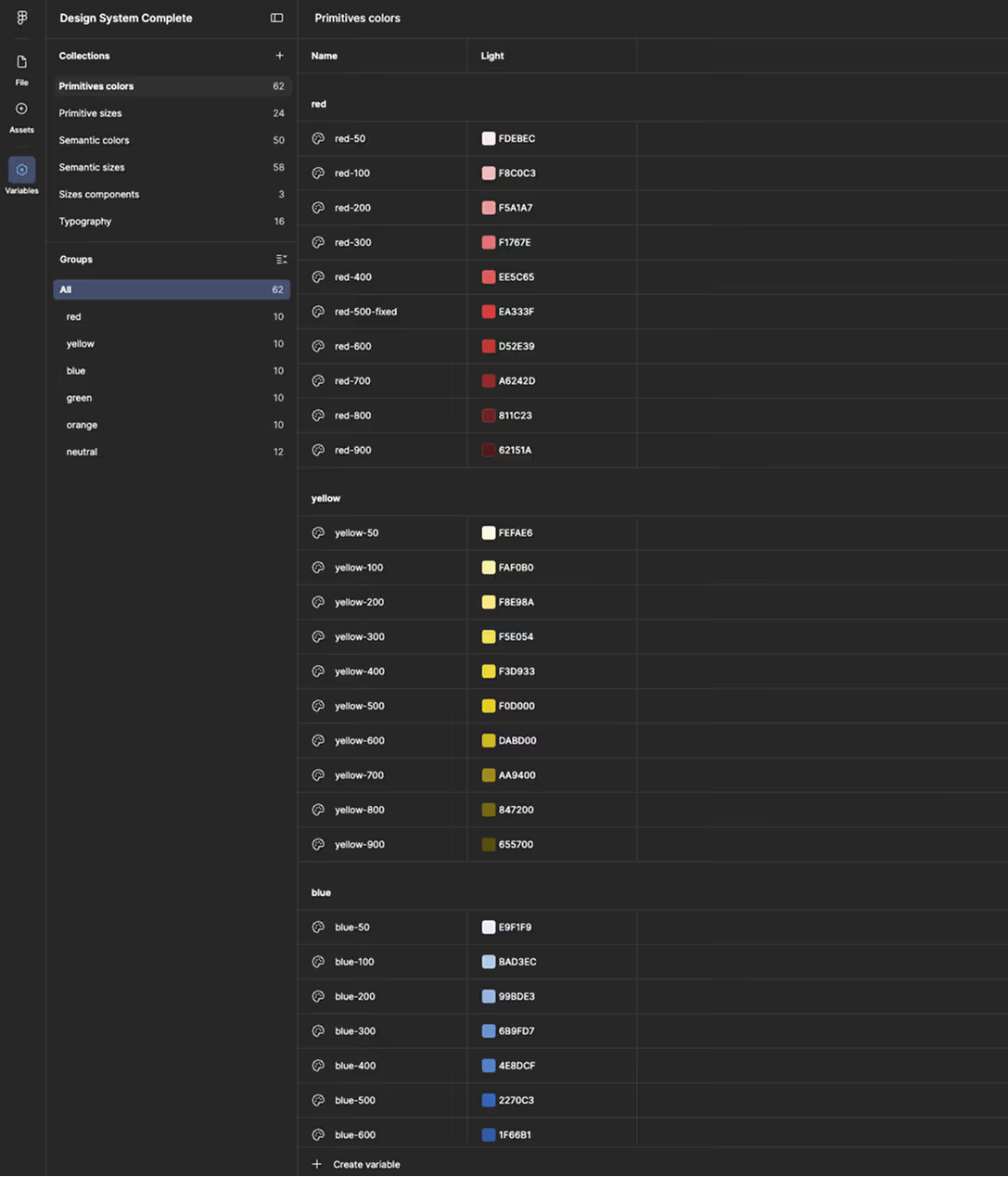
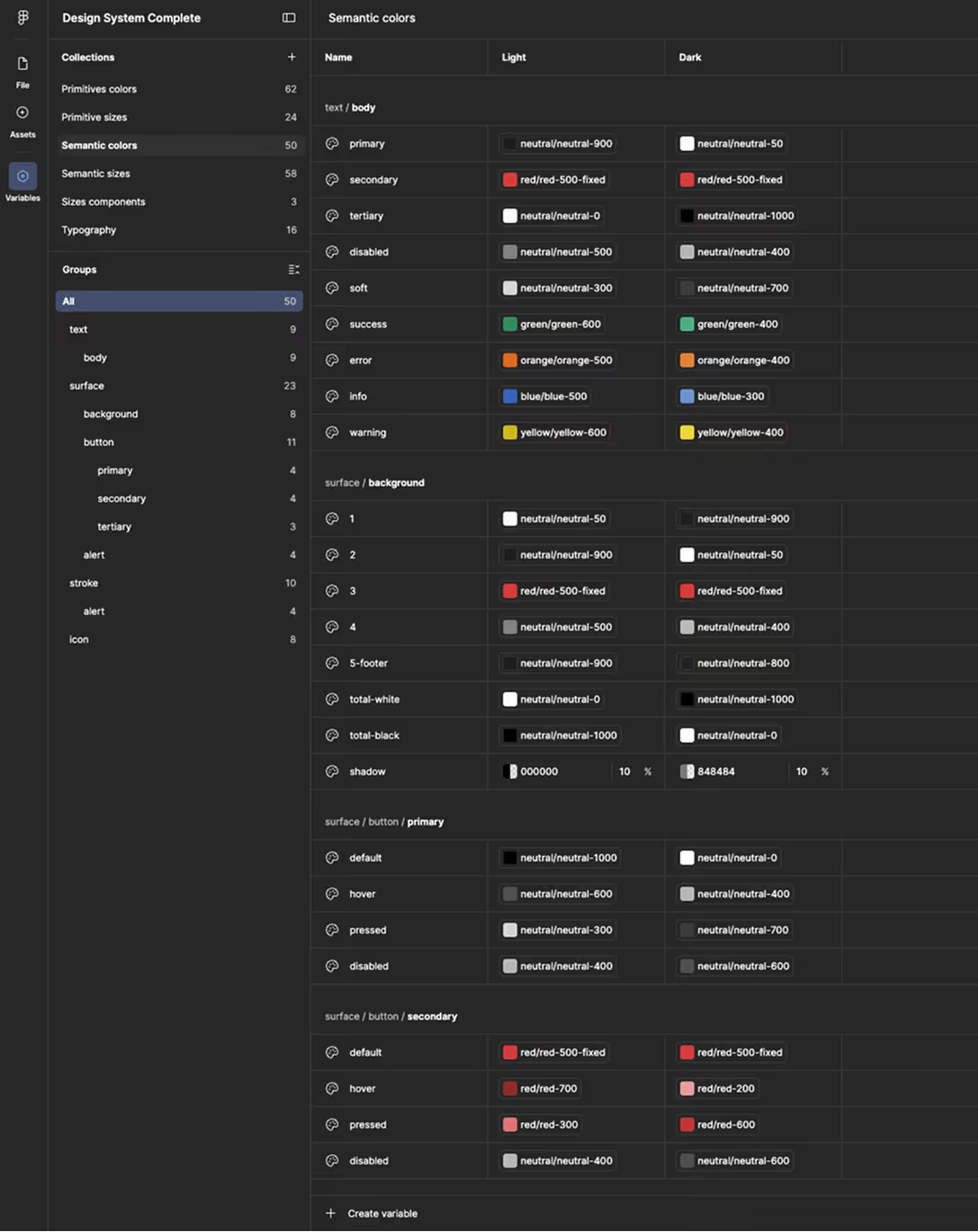
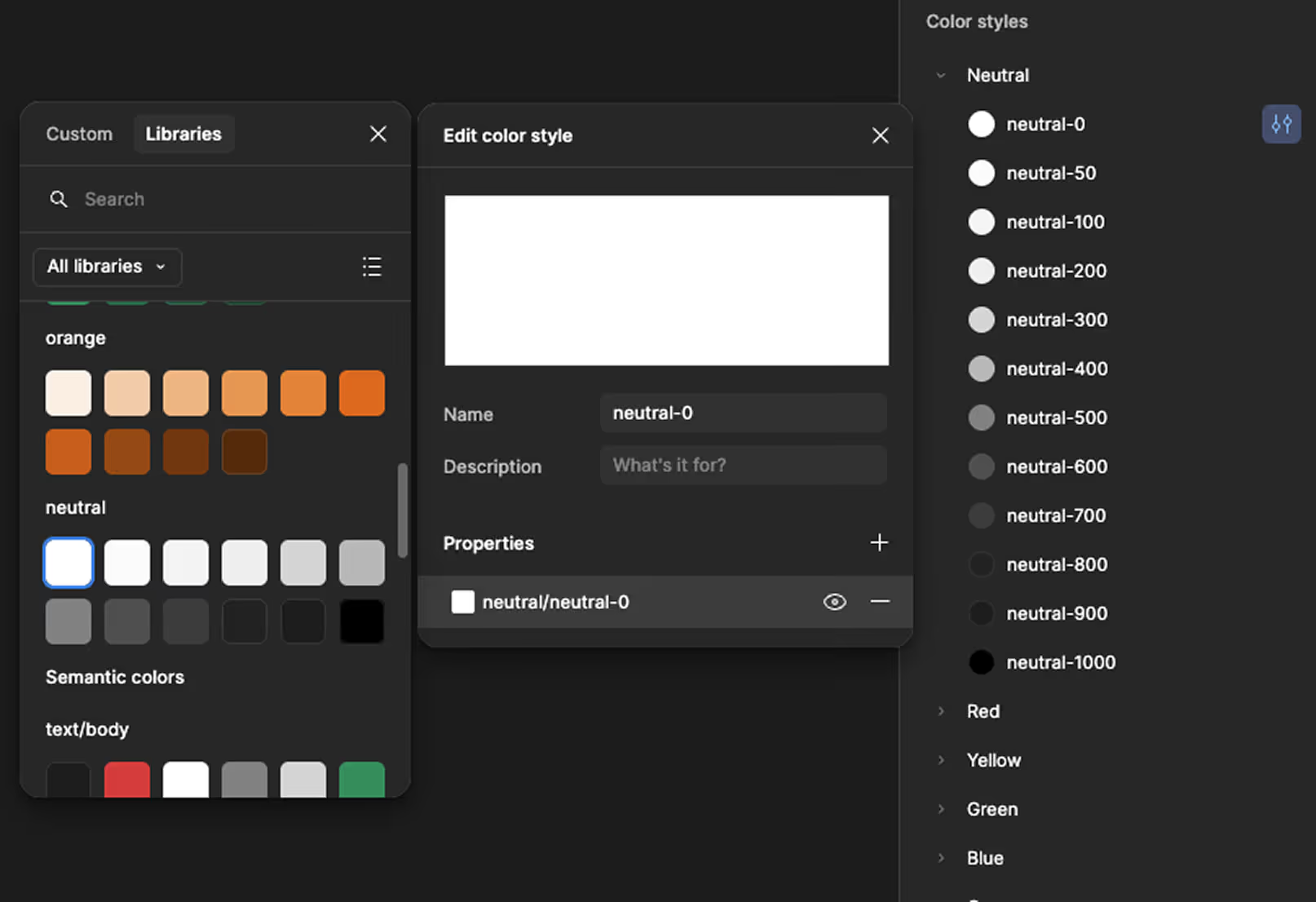
A good practice when working with variables is to keep existing styles, but link them directly to those variables to ensure consistency across the system.
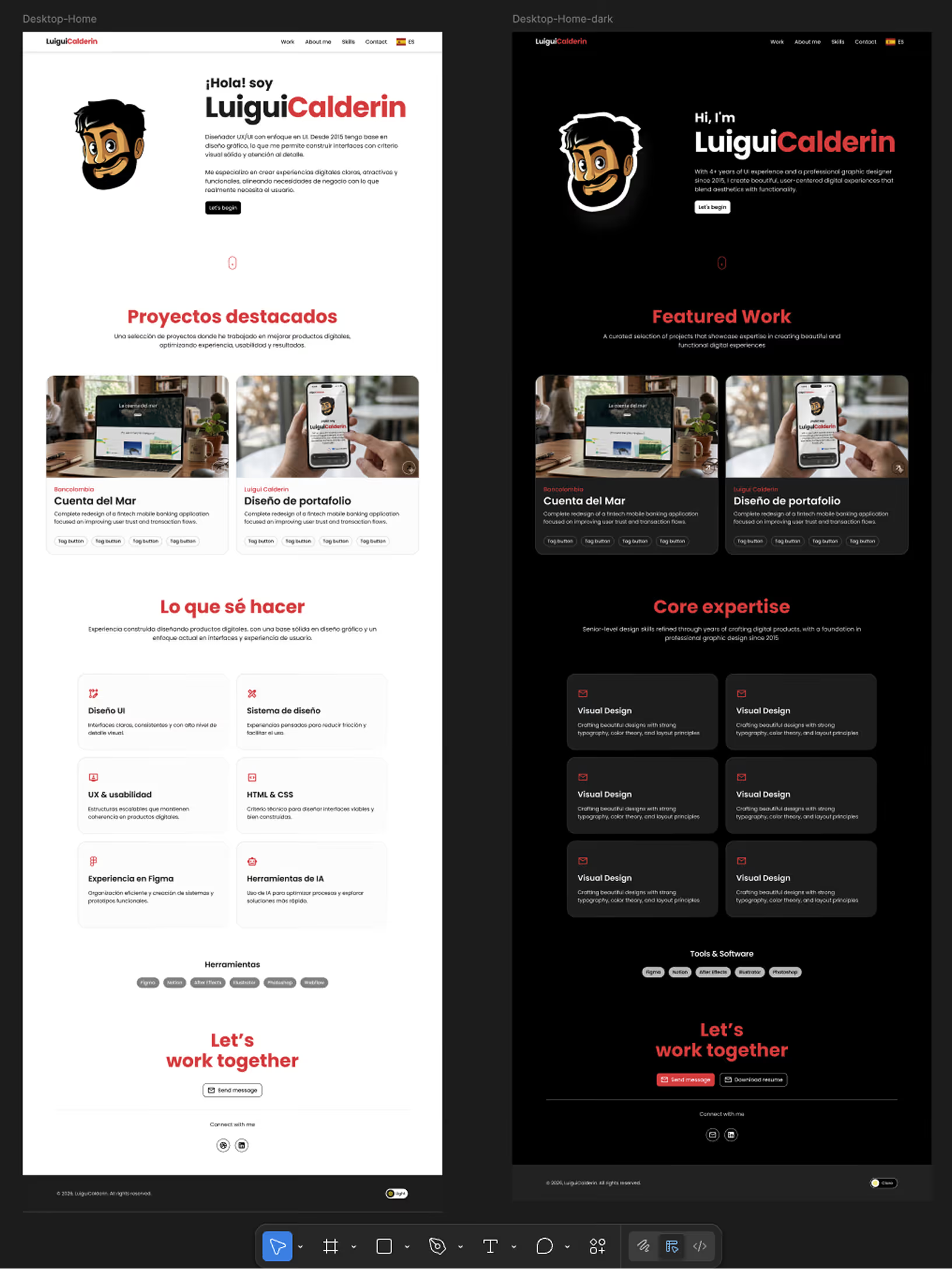
Not all portfolios offer the option to toggle between light and dark mode. Defining both modes in this project was a decision driven by accessibility and visual comfort for the user.
Since this is a system designed exclusively for this portfolio, I chose to document only the Button component. To do so, I used Claude to generate the base documentation from specific instructions and references, focusing my work on reviewing, refining, and correcting the output.
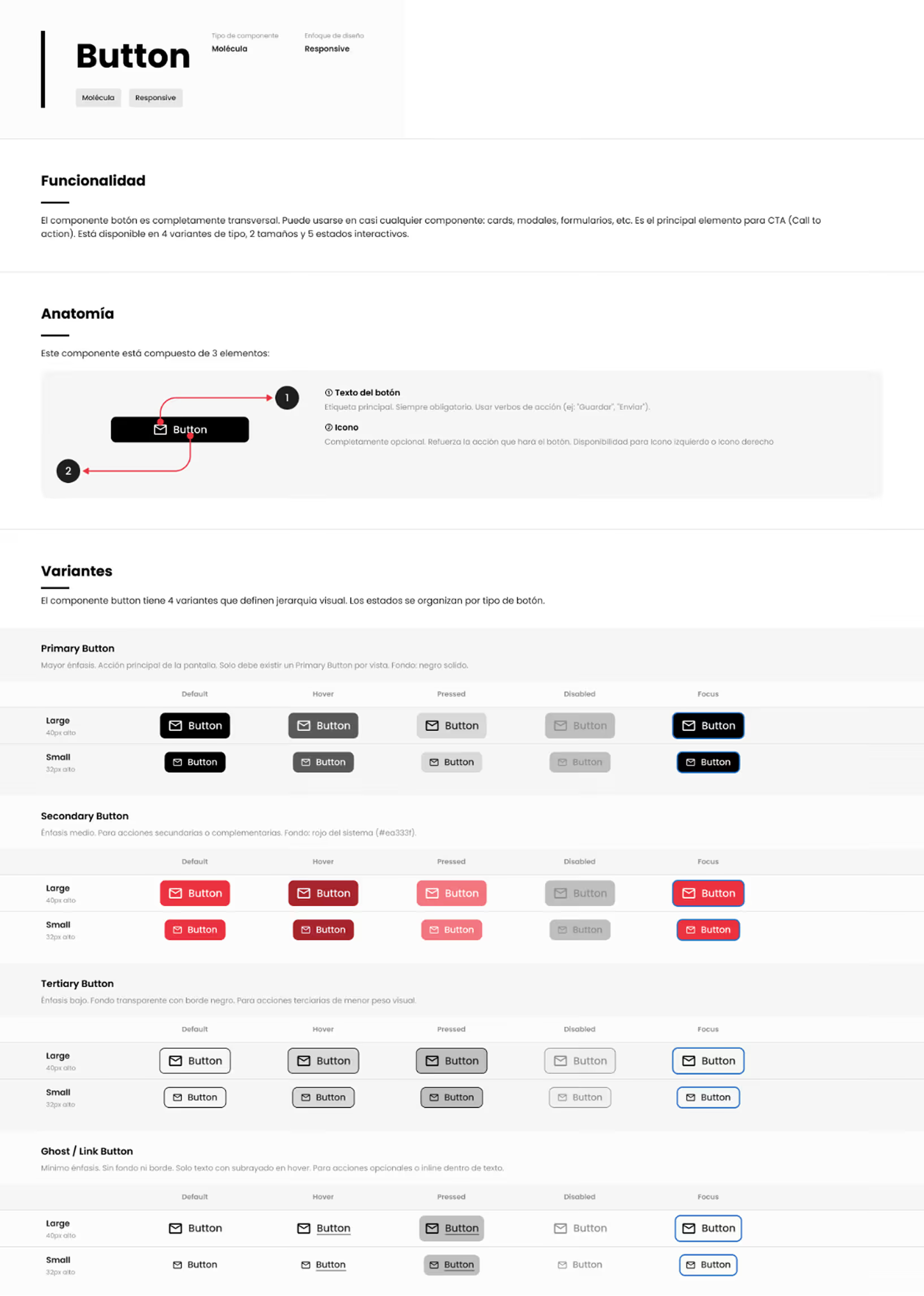
95% of the design system was built manually, with custom criteria and definitions tailored to this project. The remaining 5% corresponds to documentation generated with AI, guided by references from design systems I've previously worked on.
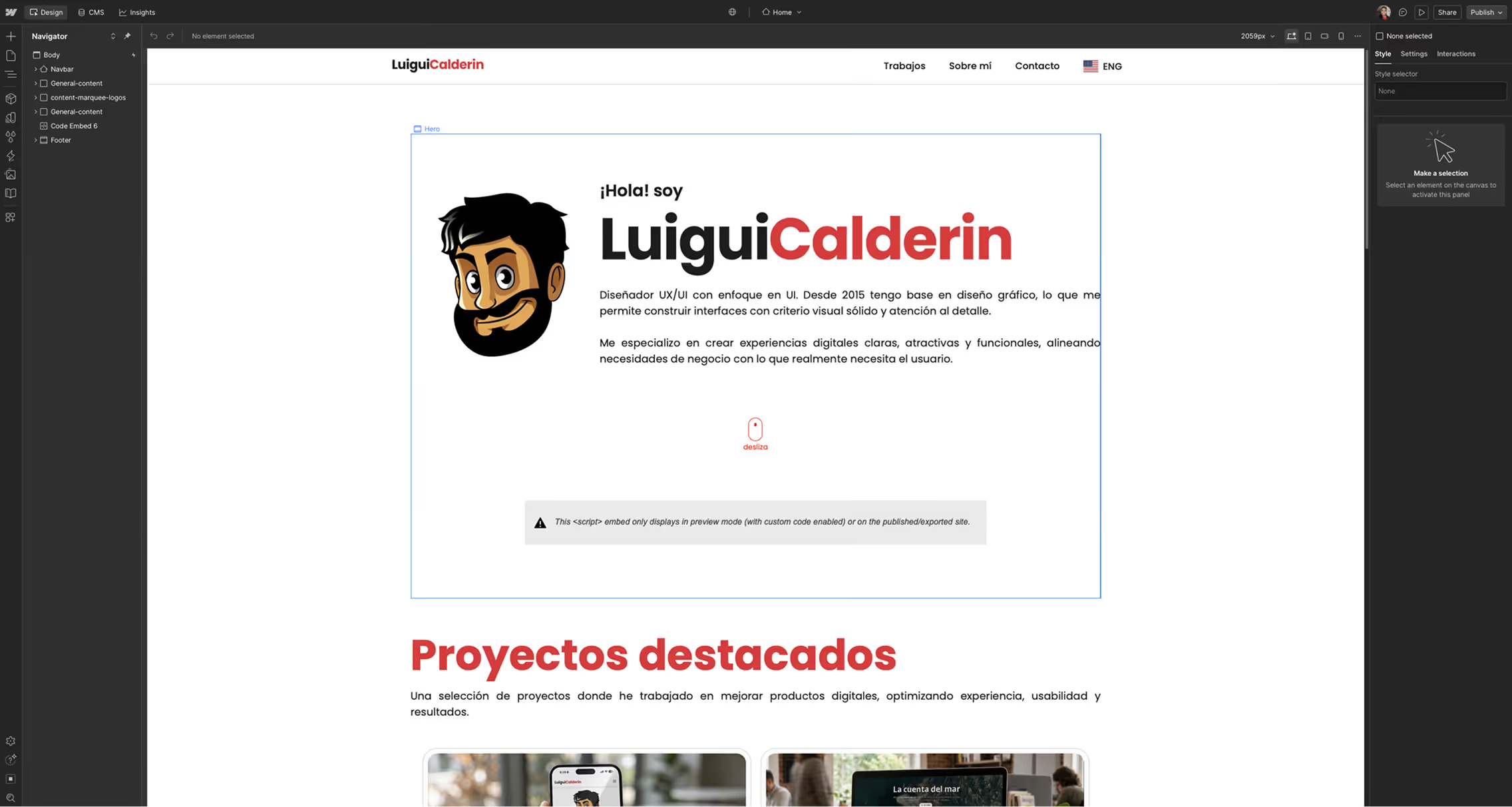
With basic knowledge of HTML and CSS and experience with no-code/low-code tools, I decided to manually transfer the entire design from Figma to Webflow.
Through the Figma to Webflow plugin, I exported the project variables —typography, colors, and measurements— directly into Webflow. The entire site was built manually, but for the parts that required code, I used Claude through the Webflow MCP. This made it possible to implement the light/dark mode toggle, as well as animations and microinteractions throughout the site.
The conclusion of this project reinforces a clear idea: AI is a tool, not a substitute for knowledge. It helps increase productivity and streamline repetitive processes, but it should never be indispensable for completing a job.
Using AI to design without understanding design, or to code without understanding code, is like learning to drive only in automatic: it works fine until the day you're handed a manual car. The same applies to AI — anyone who relies on it completely will be left without tools the day they can no longer use it.